Create Target Group
Create Target Group
In the EC2 interface, on the left panel
- Select Target Group
- Click the Create target group button
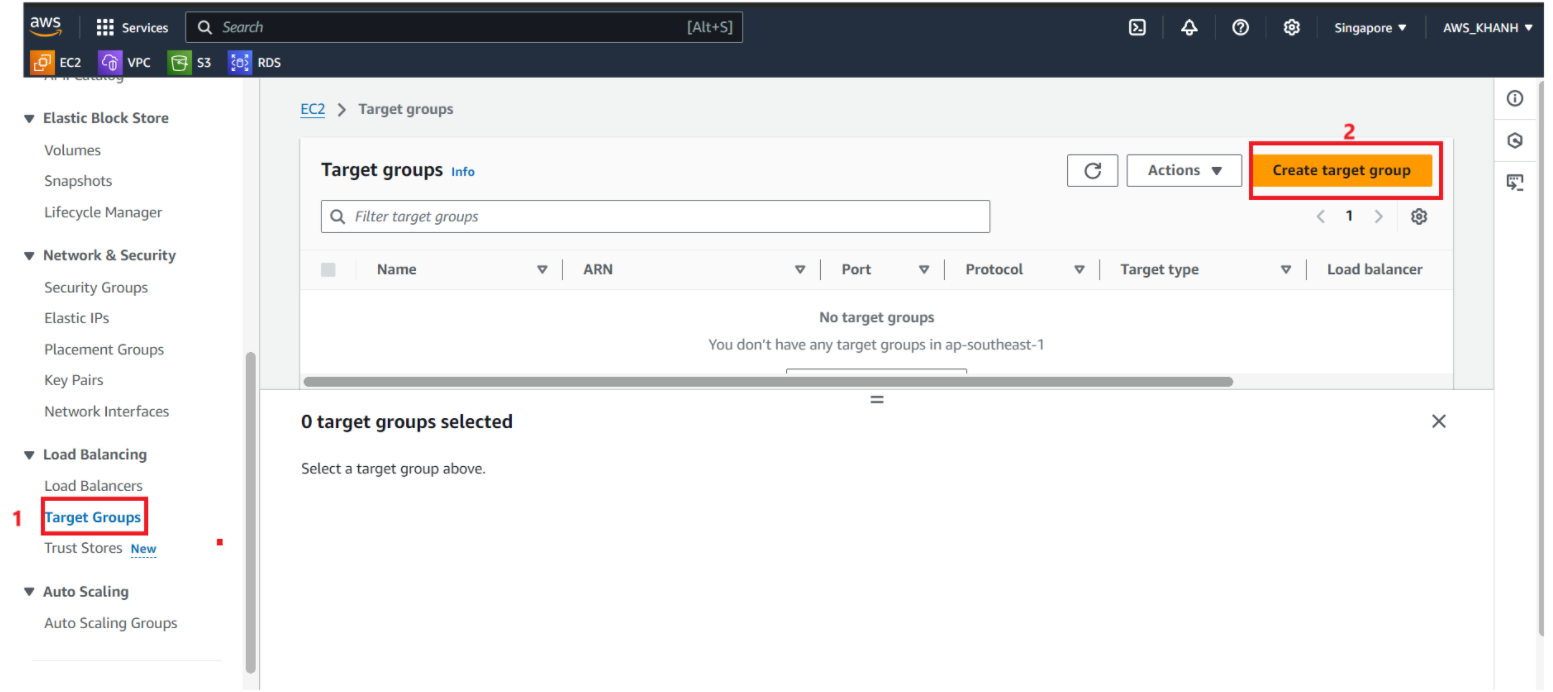
The Specify group details table appears
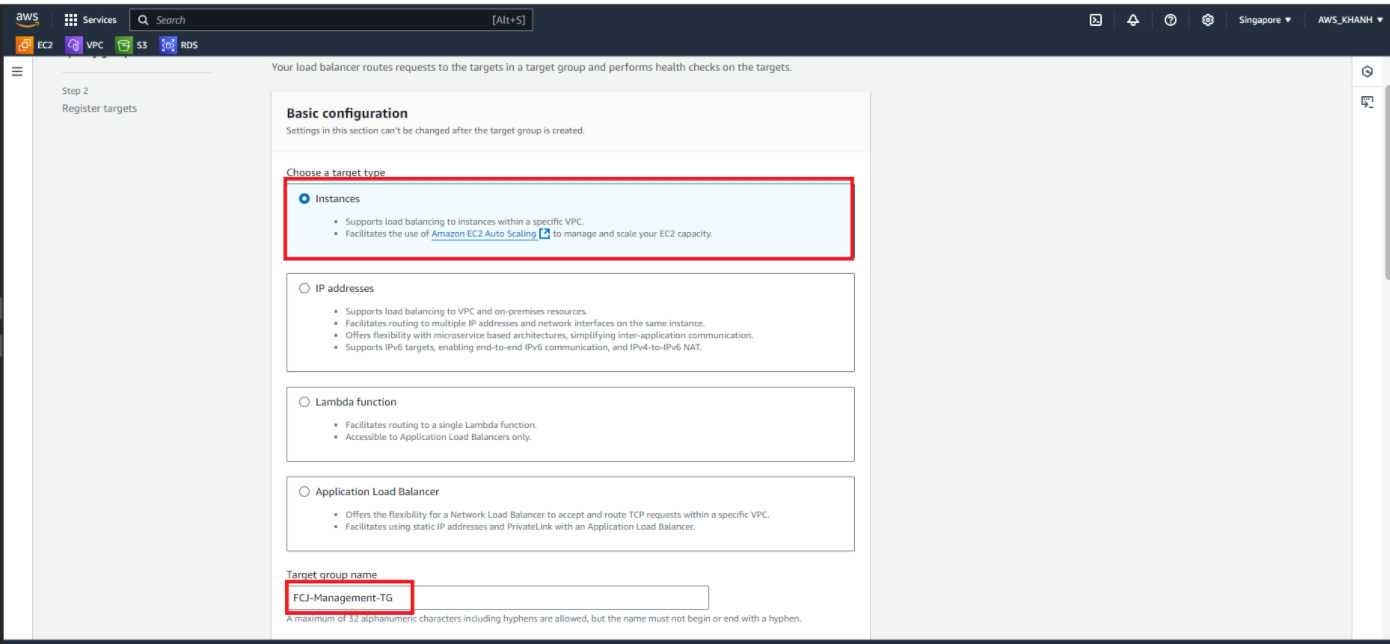
In the Basic configuration section
Choose a target types Instances
Target group name
FCJ-Management-TG
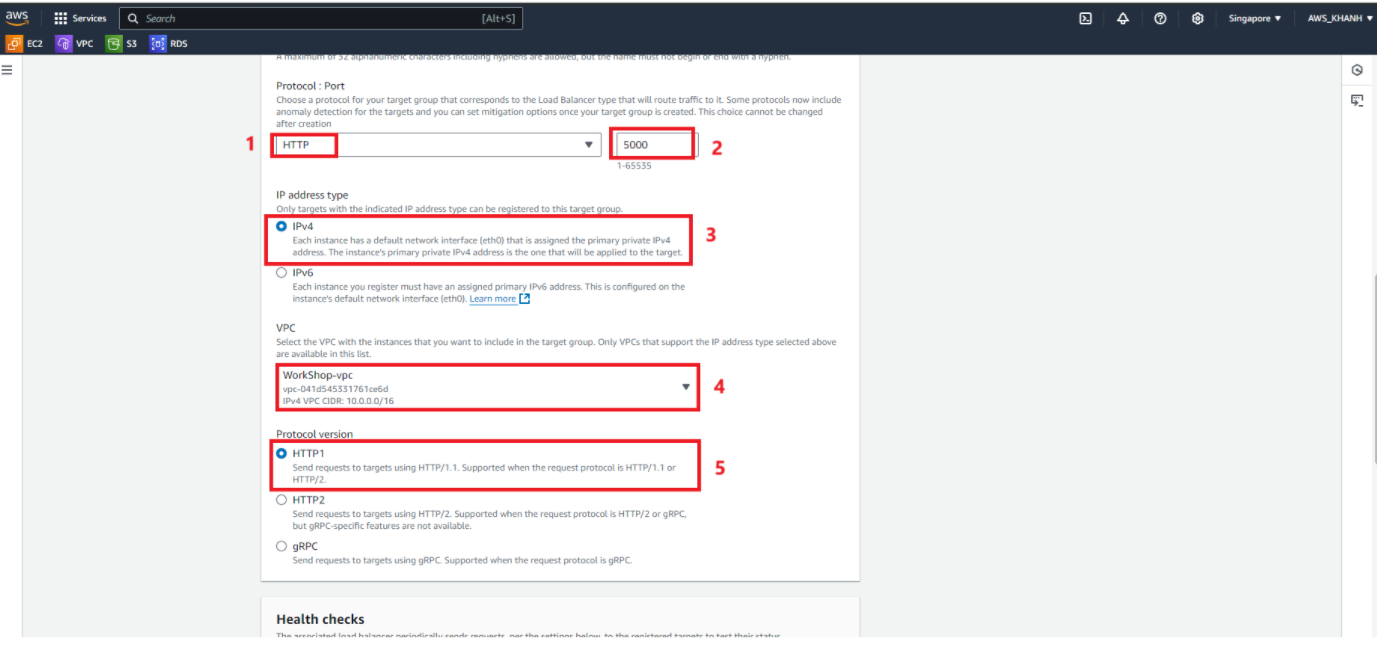
In the Basic configuration section
Protocol : port HTTP, 5000
IP address IPv4
VPC WorkShop
Protocol version HTTP1
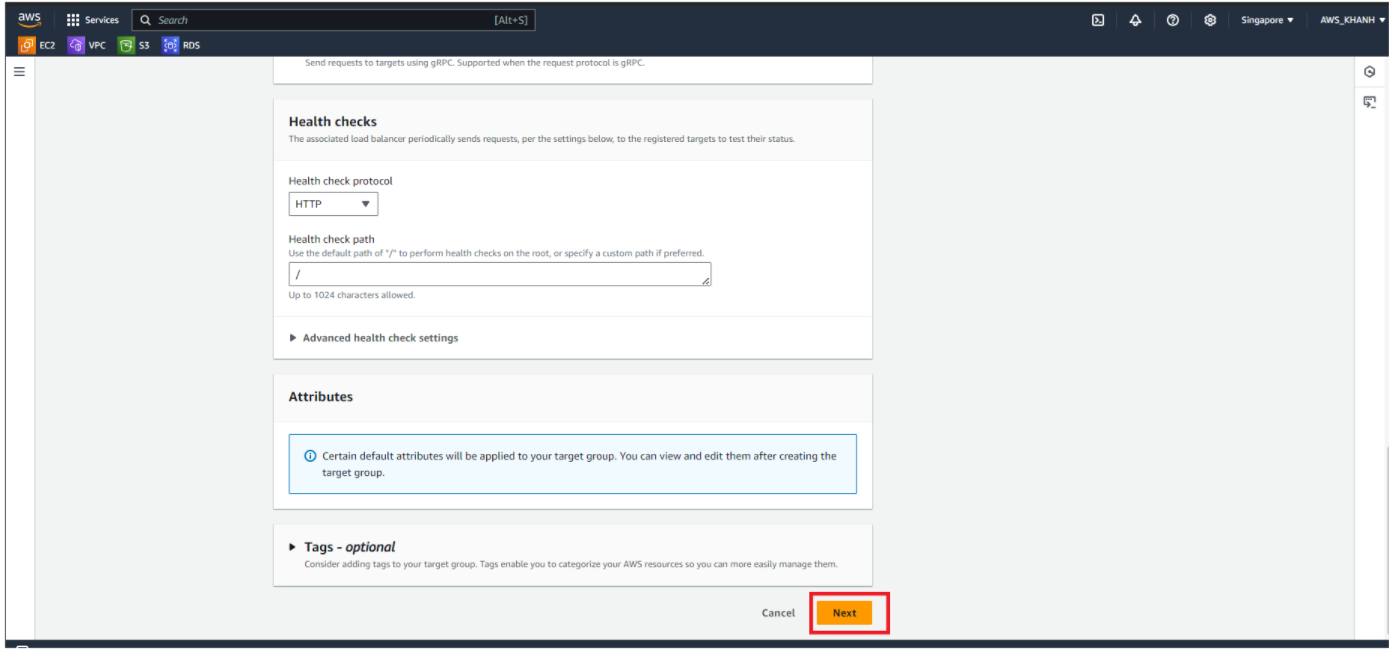
- Click Next
Next we proceed to Register target
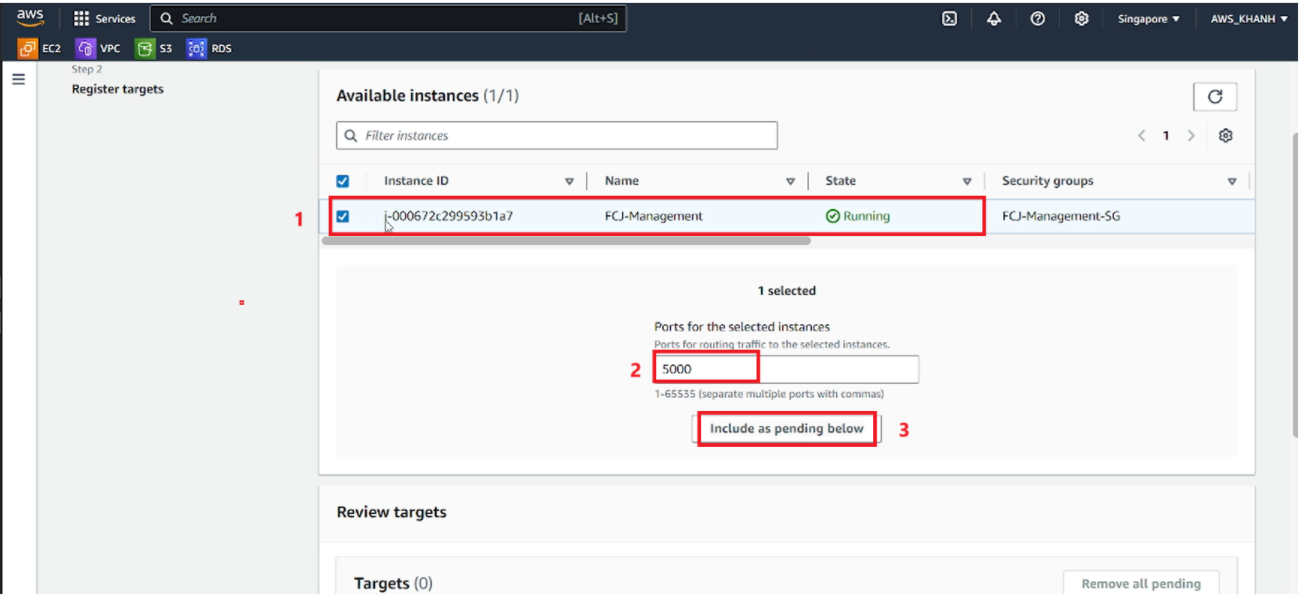
In the Available instance section
Select the target group FCJ-Management-TG
Ports for the selected instances 5000
Select Include as pending below
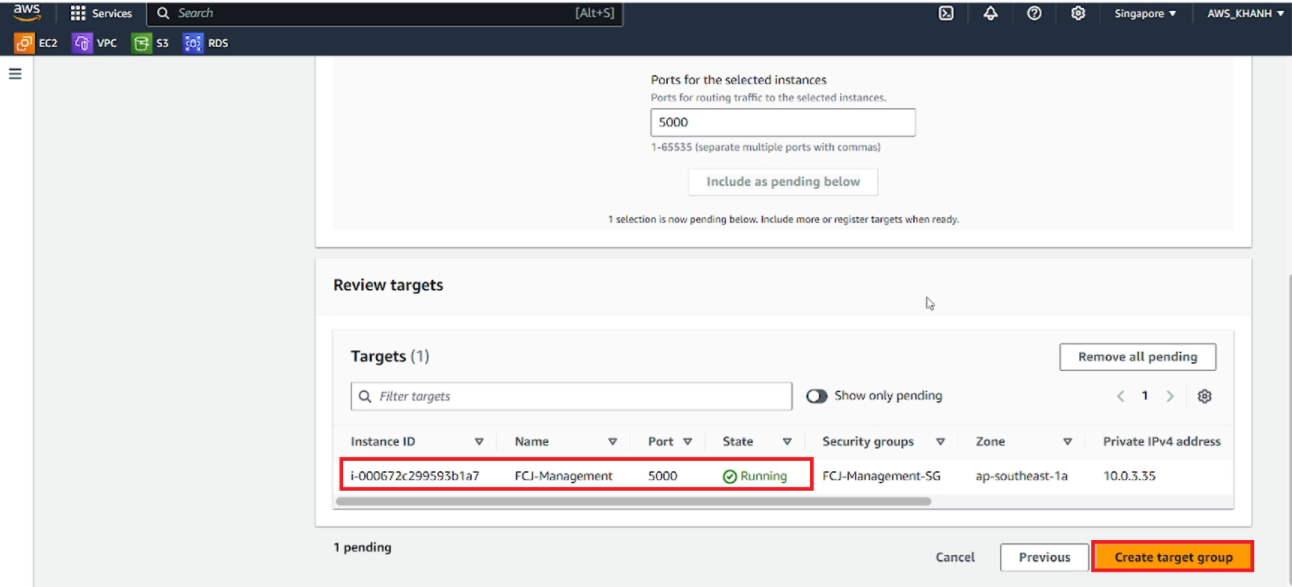
In the Review targets section
We will see the previously registered target group
Select Create target group
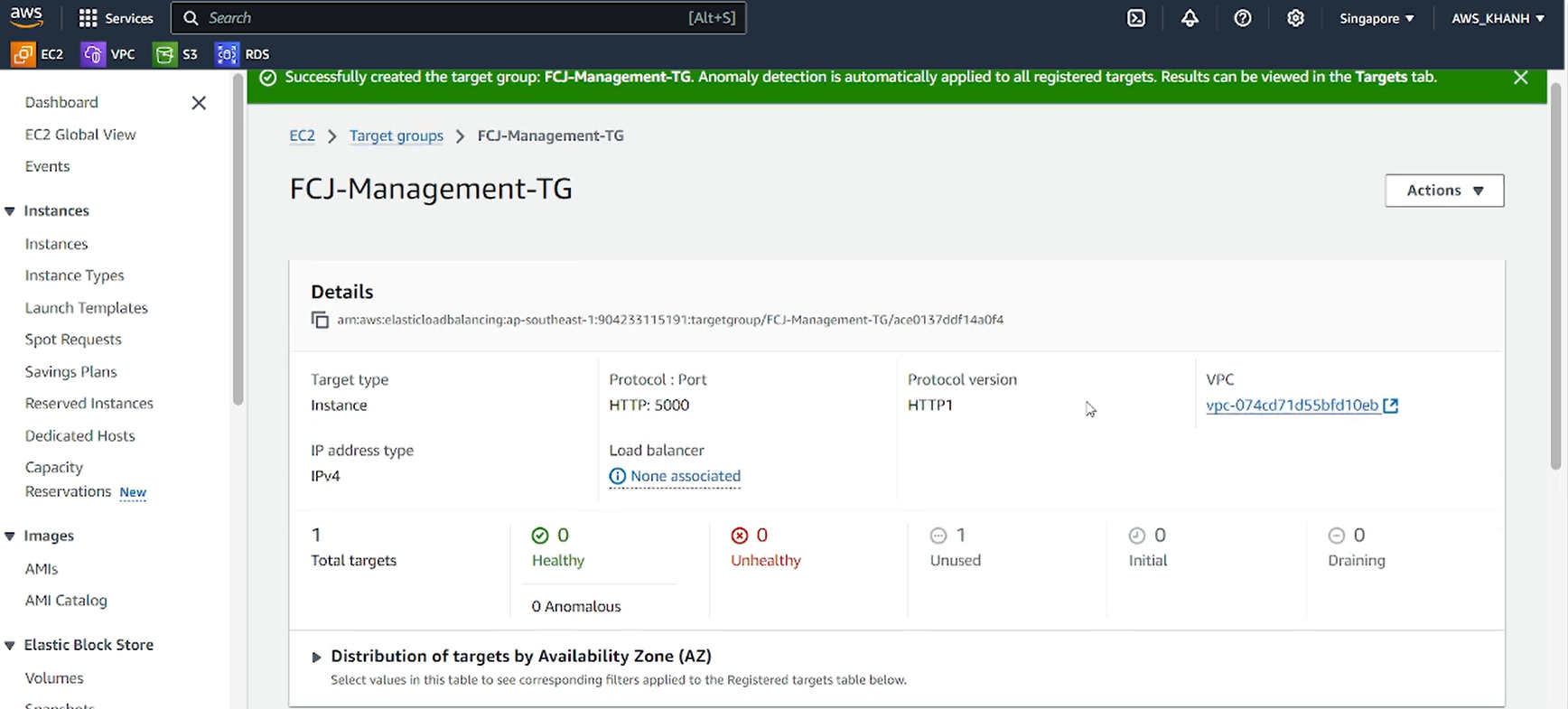
Result
- Complete creating the Target Group, select the newly created Target Group FCJ-Management-TG to view the information believe.