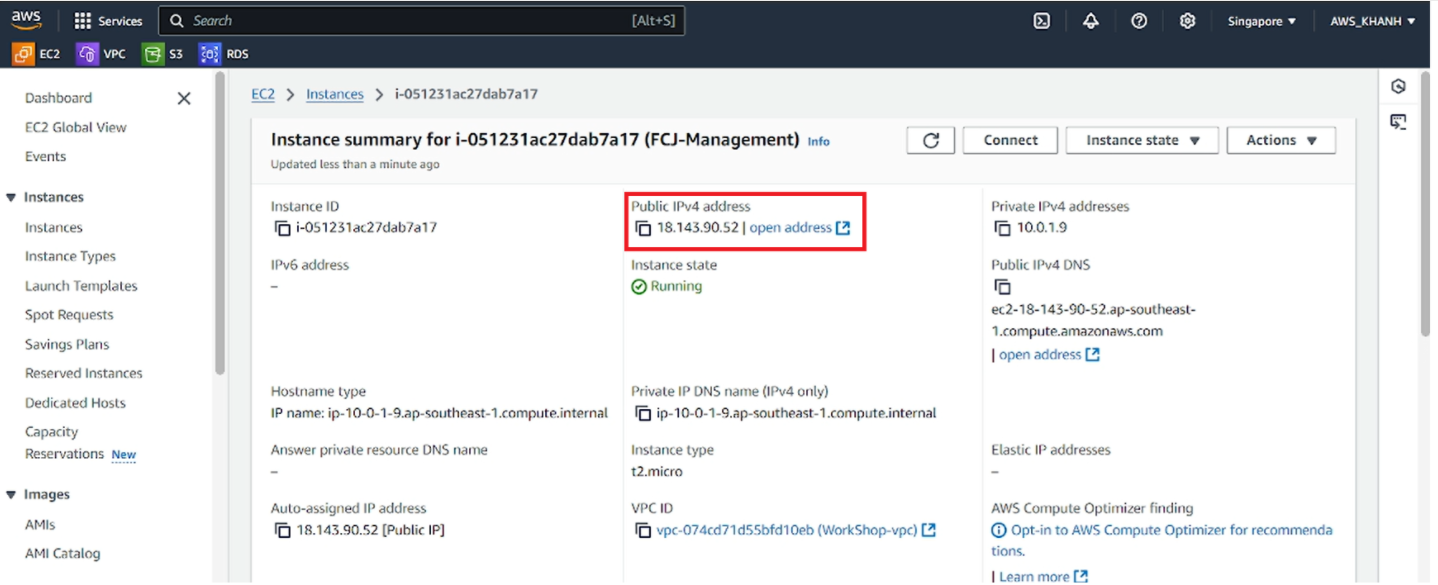
Initialize EC2 Instance
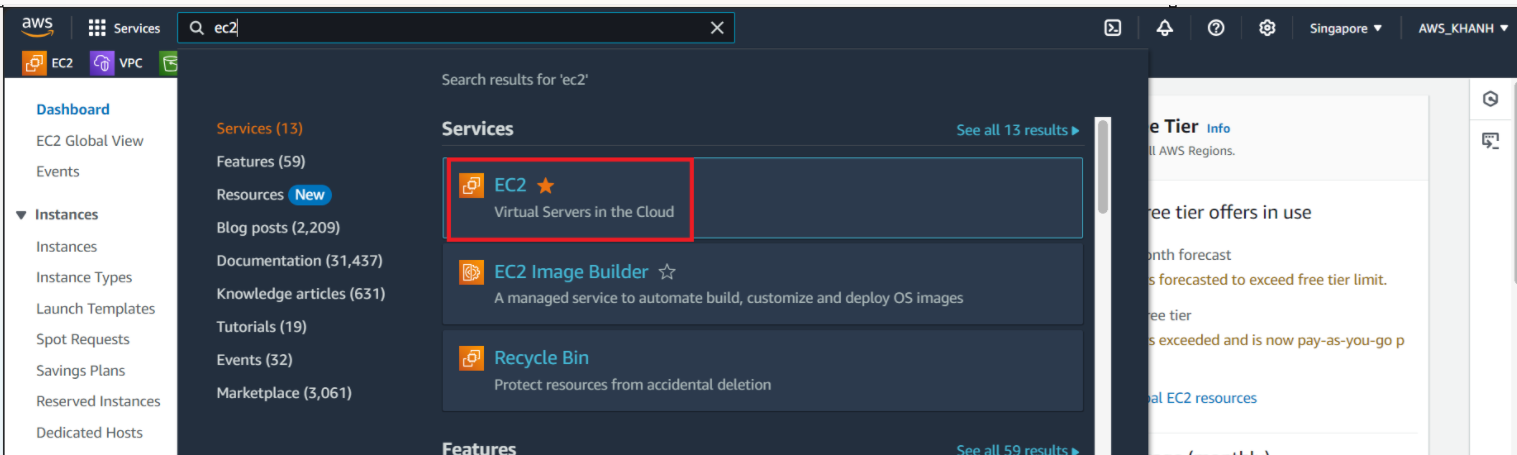
Go to AWS Management Console
- Search for EC2
- Select EC2
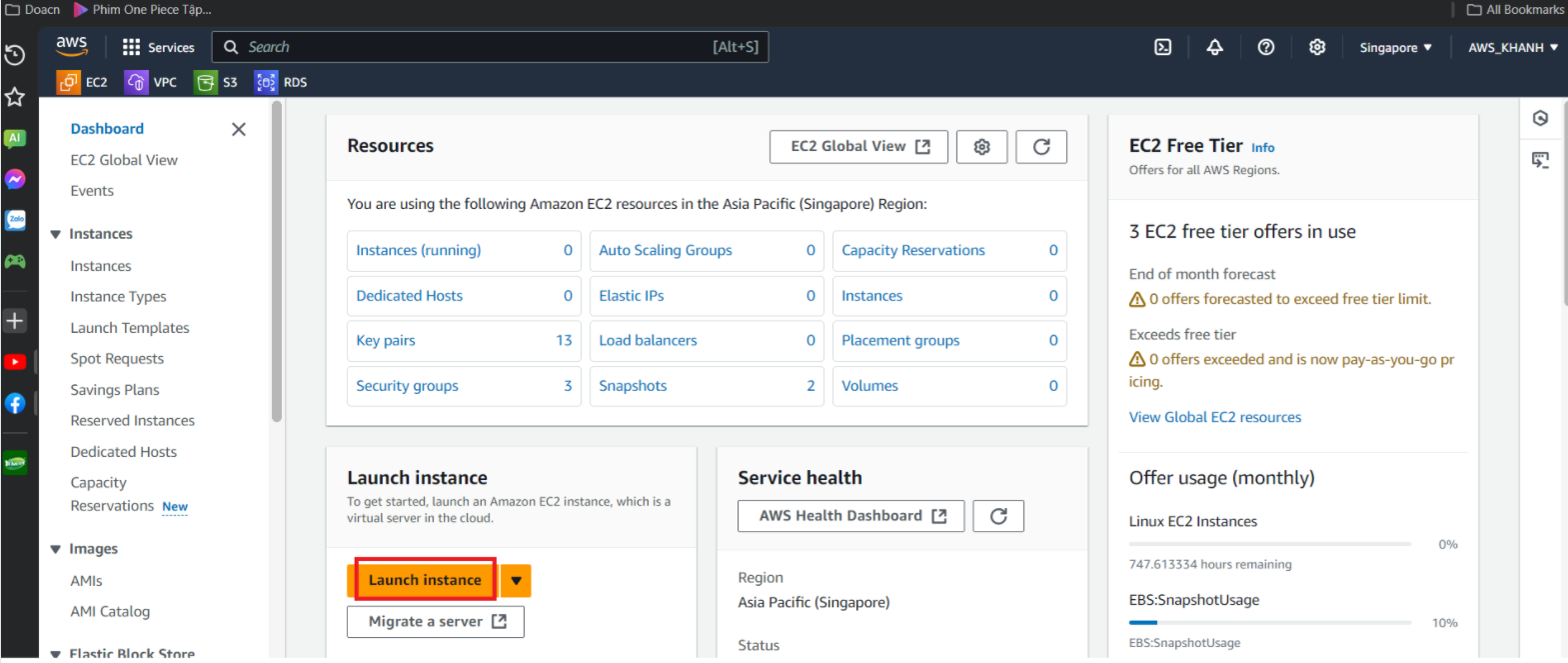
In the EC2 interface
- select Launch instances
Name the instance, enter FCJ-Management
- Select Quick Start
- Select Amazon Linux
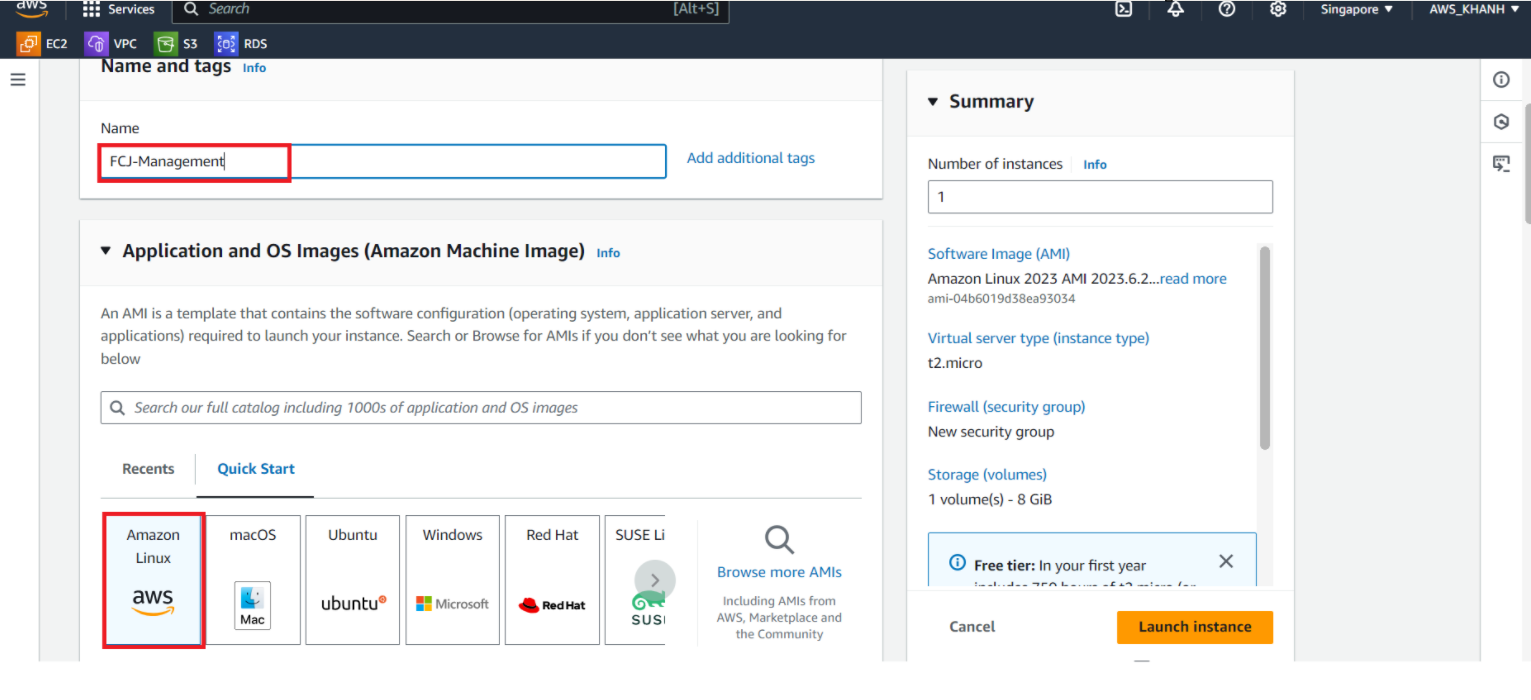
Select as after:
- Select Amazon Linux 2023 AMI
- Select t2.micro
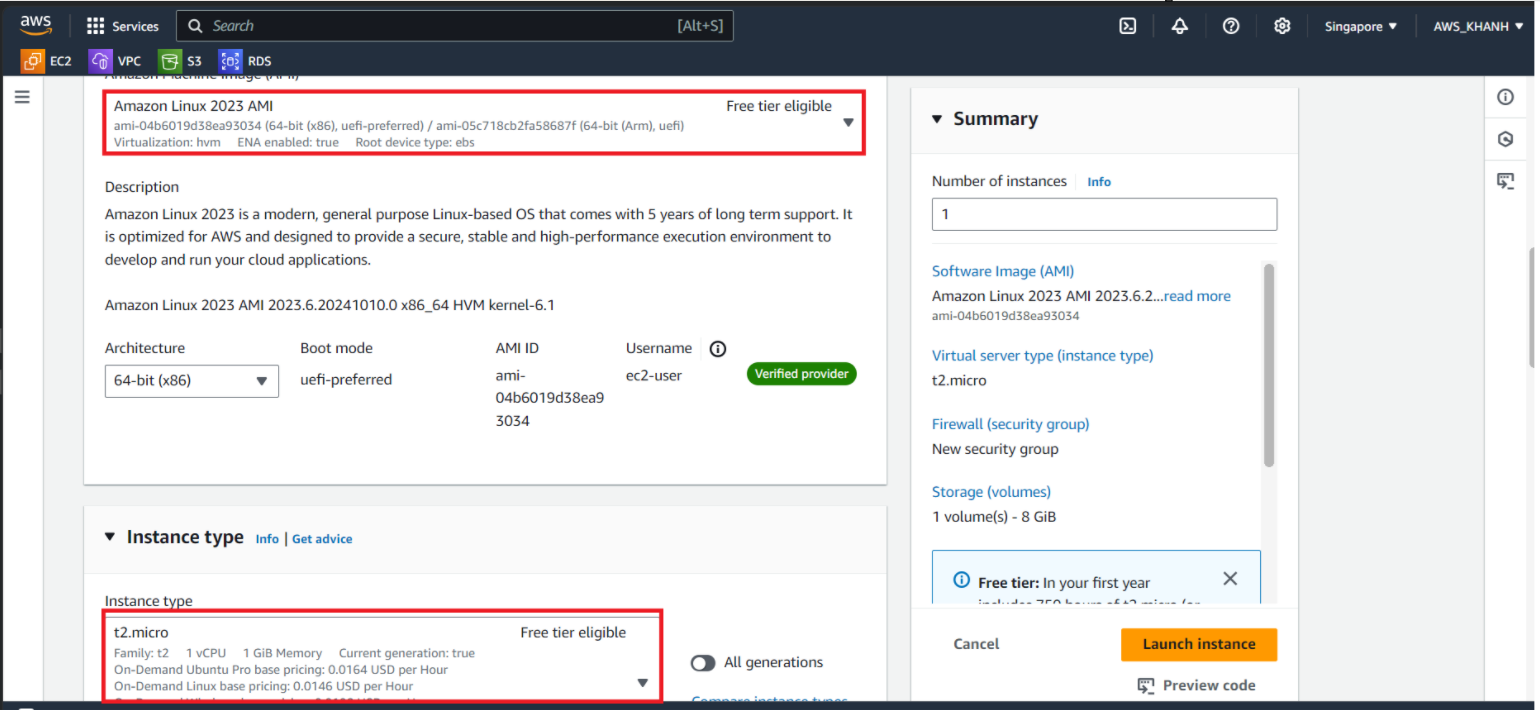
Select Key pair (login):
- Select Create new key pair
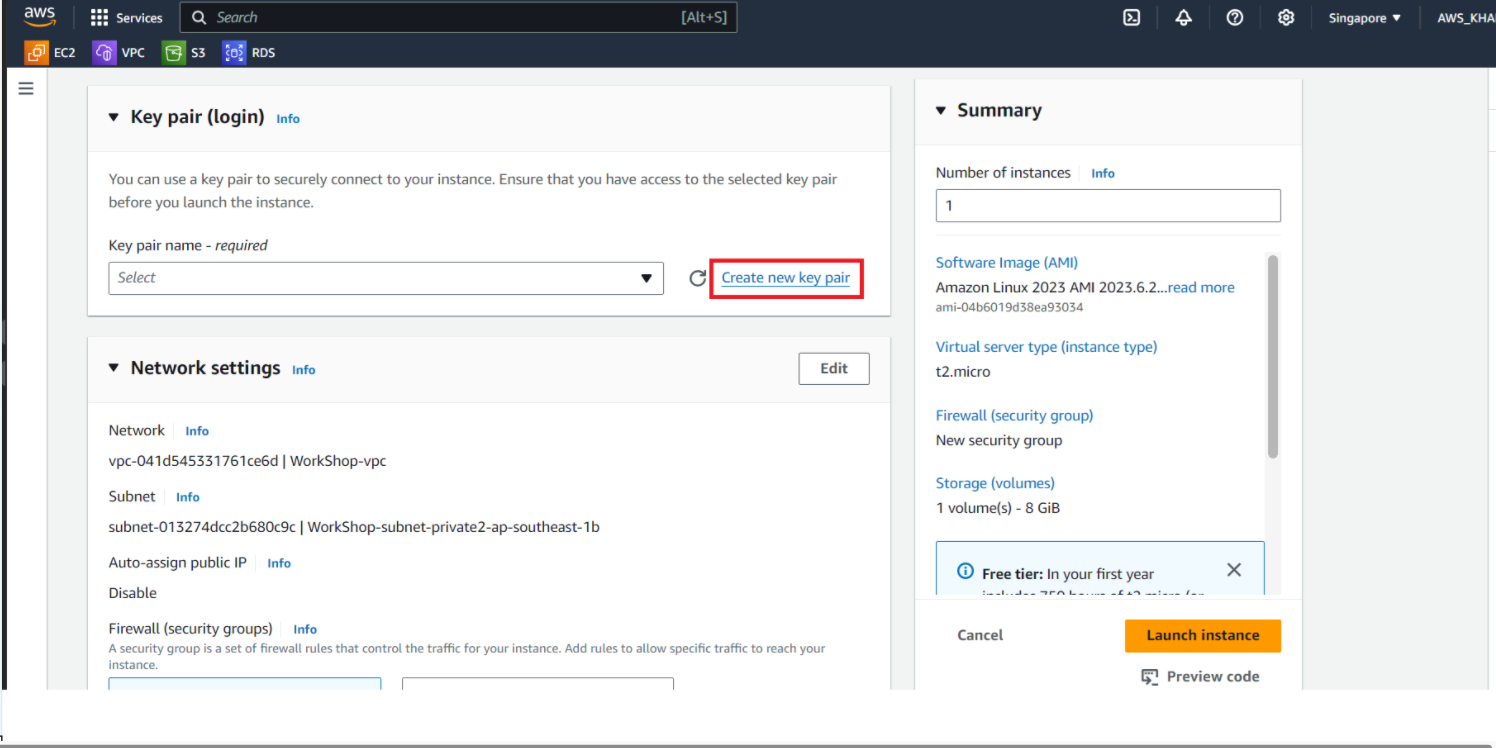
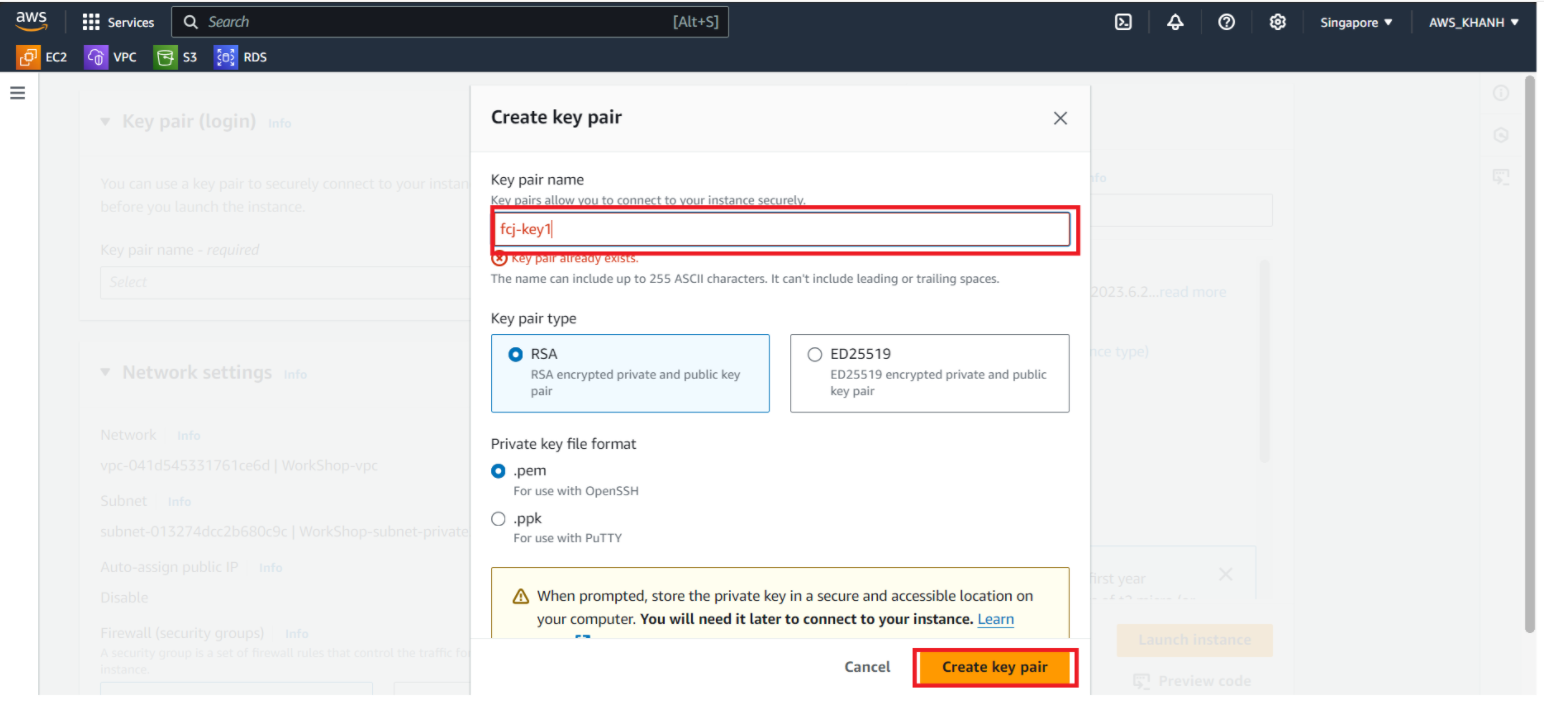
Configure key pair
- Name it
fcj-key1 - Key pair type: RSA
- Private key format: .pem
- Click Create key pair
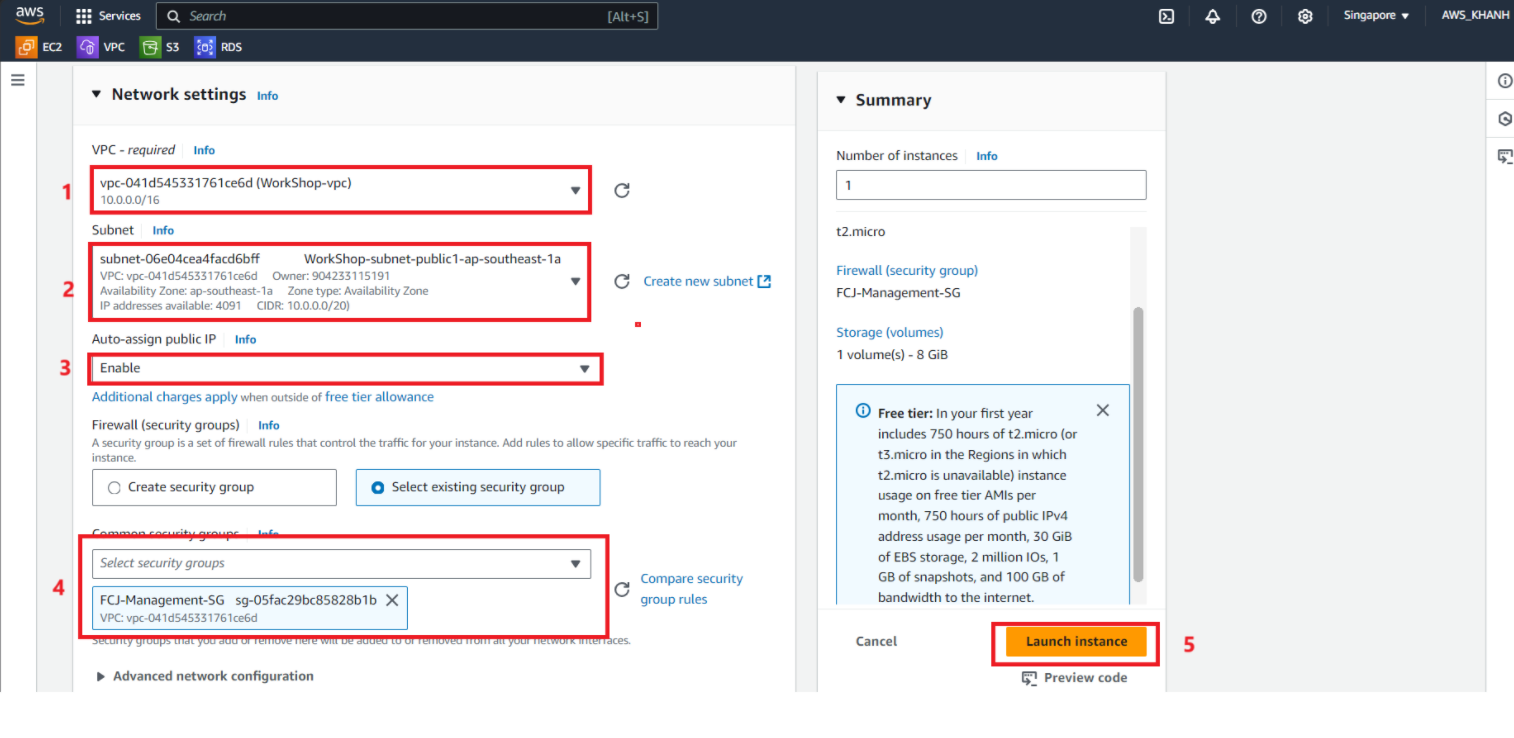
Perform Network configuration:
Click Edit
VPC, select the created VPC.
Subnet, select Public subnet
Check if Auto-assign public IP has been set? If not, review the public IP allocation step in the VPC creation step.
Select Select existing security group then select FCJ-Management-SG.
Select Launch instance.
Instance initialization successful.